Connect Instagram
TubeCMS can display your Instagram posts on a dedicated gallery page on your site, synced automatically via the Instagram API.
Requires an Instagram Business or Creator account.
Note: Instagram integration requires Meta verification and is currently pending approval. It will be available once verification is complete.
Setup steps
- Go to Admin Panel → Social → Integrations
- Find the Instagram section
- Click Connect Instagram
- You'll be redirected to Instagram to authorise access
- Select the Instagram account you want to connect
- Grant the requested permissions and you'll be redirected back
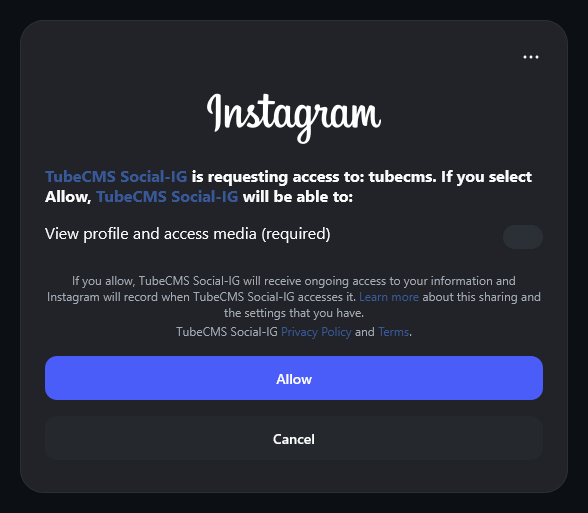
OAuth authorisation screen for Instagram
TubeCMS requests read-only access — we never post, delete, or modify your Instagram content.
What's synced
- Your Instagram posts (images and carousels)
- Captions and timestamps
- Like and comment counts
- Post permalinks (links back to Instagram)
Posts sync automatically in the background. You can also trigger a manual sync from Admin Panel → Social → Instagram by clicking Sync Posts.
Instagram settings
Manage your Instagram settings from Admin Panel → Social → Instagram:
- Instagram Page — toggle the dedicated Instagram gallery page on or off on your site
- Unified Feed — include or exclude Instagram posts from the homepage unified feed
- Nav Label — customise the name that appears in your site navigation (e.g. rename from "Instagram" to "Gallery" or "Photos")
Hiding individual posts
You can hide specific posts from your site without removing them from the sync. Toggle the visibility icon next to any post in the list on the Instagram settings page.
Instagram on homepage
You can add an Instagram section to your homepage via the homepage builder (Admin Panel → Settings → General, then the Homepage tab). Instagram posts are also included in the Unified Feed section if enabled.
Instagram page
Your Instagram content appears at /instagram on your site (or whatever you've set the nav label to).
Disconnecting
Go to Admin Panel → Social → Integrations → Instagram → Disconnect. This removes your token and all synced Instagram data from your site.