Connect Shopify
If you sell merch through Shopify, you can connect your store to display products on your TubeCMS site.
Setup steps
- Go to Admin Panel → Settings → Merch
- Find the Shopify section
- Enter your Shopify store URL (e.g.
your-store.myshopify.com) - Click Connect
- You'll be redirected to Shopify to install the TubeCMS app and authorise access
- Grant permission and you'll be redirected back to TubeCMS
- Your products will sync automatically
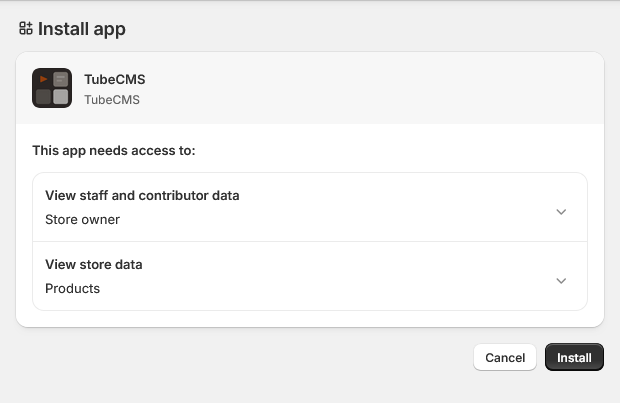
Shopify app authorisation screen
What's synced
- Product title, description, and price
- Product images (primary image)
- Product URL (links to your Shopify store for checkout)
Products are refreshed automatically in the background.
Disconnecting
Go to Admin Panel → Settings → Merch → Disconnect Shopify.
You can also remove the TubeCMS app from your Shopify admin.