Navigation and display settings
Control the order of your site navigation and how content is displayed across your site from Admin Panel → Settings → General, then the Display tab.
Navigation order
Drag and drop to reorder the pages in your site navigation bar. You can also hide individual pages from the navigation without disabling them — visitors can still access hidden pages via direct URL.
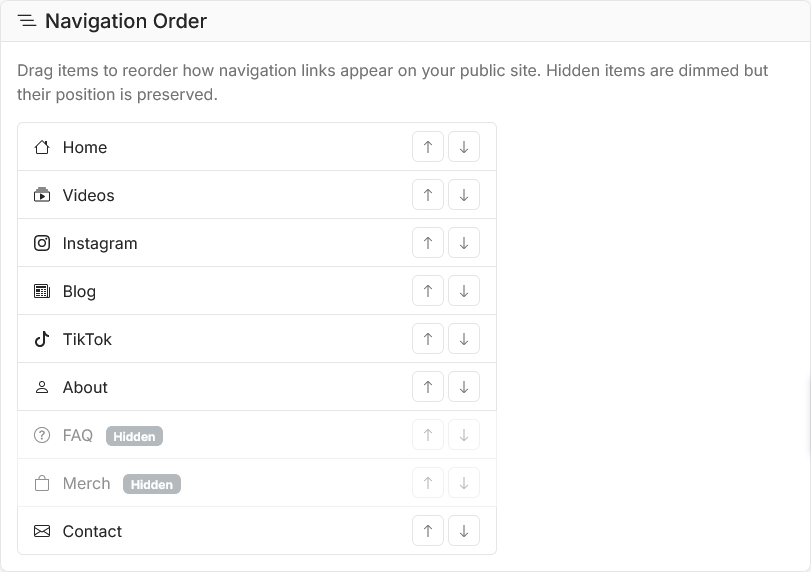
Navigation order
Blog display
Configure how your blog listing page looks:
- Section name — rename your blog (Blog, Articles, Posts, etc. — this also changes the URL)
- Posts per page — how many posts appear before pagination
- Grid columns — layout width
- Show featured image, summary, and tags — toggle what appears on listing cards
Video display
Configure your video detail pages:
- Show related videos — toggle the related videos section at the bottom of each video page
- Related video count — how many related videos to show (2-6)
- Show YouTube description — toggle whether the full YouTube description appears on your site