Troubleshooting YouTube sync
If your YouTube videos aren't appearing on your TubeCMS site, here are the most common causes and fixes.
New video not appearing
Push notifications from YouTube are near-instant but occasionally delayed. If your video doesn't appear within a few minutes:
- Trigger a manual sync from Admin Panel → Social → YouTube, then click Refresh Now on the Status tab (Starter plan and above)
- If the video still doesn't appear, check that it's set to Public on YouTube (unlisted and private videos are not synced)
All videos missing
If all your videos have disappeared:
- Check your YouTube connection in Admin Panel → Social → Integrations
- If it shows Disconnected, reconnect by clicking Connect YouTube
- This usually happens if you changed your Google password or revoked app access
"YouTube Token Revoked" error
This means Google has invalidated your OAuth token. Common causes:
- Changed your Google password
- Revoked access in your Google Account settings
- Google security review
Fix: Go to Admin Panel → Social → Integrations → Connect YouTube and re-authorise.
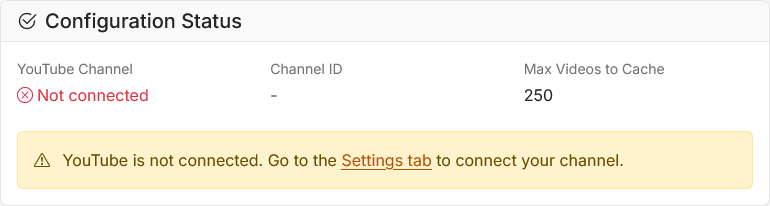
Integrations page showing disconnected YouTube status
Videos from wrong channel
TubeCMS connects to whichever YouTube channel is associated with the Google account you sign in with. If you have multiple channels (Brand Accounts), make sure you select the correct one during the Google sign-in flow.
Video thumbnails not loading
If thumbnails show as broken images:
- YouTube may still be processing the thumbnail (wait a few minutes after upload)
- Try a manual sync from Admin Panel → Social → YouTube, then click Refresh Now on the Status tab
Still stuck?
Sign in to your admin panel and open a support ticket from Admin Panel → Support → Tickets. Include your site slug and a description of the issue.